Schema Pillar Pro is an on-premise node that connects to a larger brain: The Entity Authority Platform (EAP). Understanding how these two systems interact is critical for managing your licenses, seats, and domain activations.
When you purchase a Pro or Agency license, you are actually engaging with two different systems. One handles your billing, and the other handles your network infrastructure.
Your standard storefront account.
Your automated cloud infrastructure.
You do not need to register for an EAP account manually. The moment you purchase Schema Pillar Pro, the system automatically provisions your EAP Cloud Account using the same email address. Your credentials are synced instantly.
If you need to move your license to a new website, or if you are an Agency managing multiple client domains, you must log into the Entity Authority Platform.
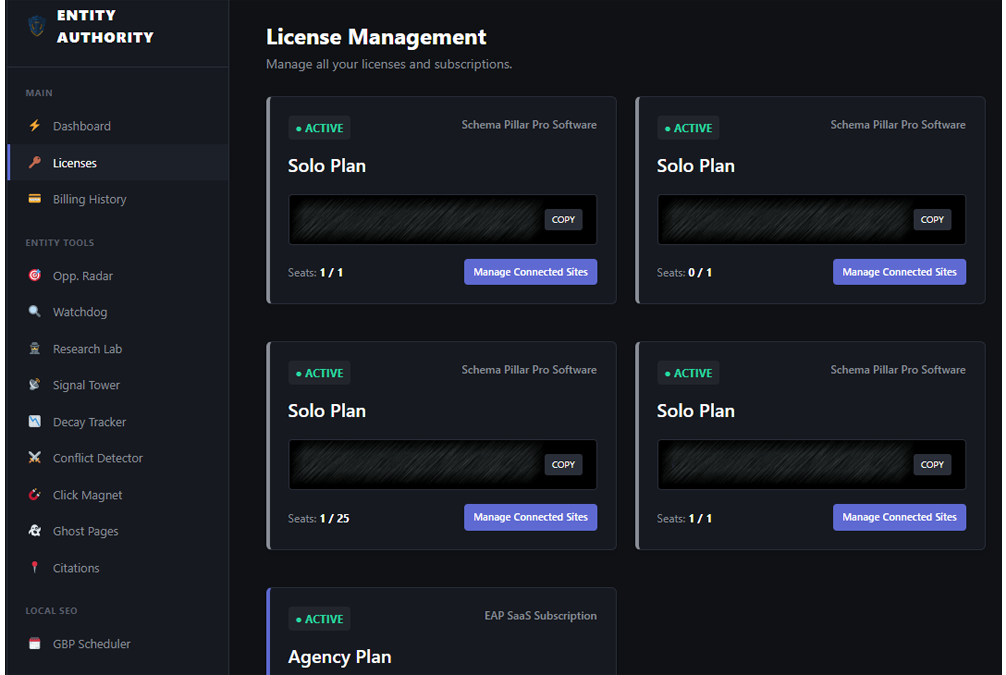
Agency License holders possess 25 deployment seats. Inside the EAP Command Center, you can view every client domain currently utilizing one of your seats. If a client leaves your agency, simply click Revoke next to their domain. This will instantly deactivate their premium schema nodes and free up the seat for your next client.
