Beyond generating JSON-LD Schema, Schema Pillar Pro includes a robust Meta Engine. This section allows you to strip out bloated third-party SEO plugins and take absolute control over your title tags, OpenGraph data, and Twitter cards.
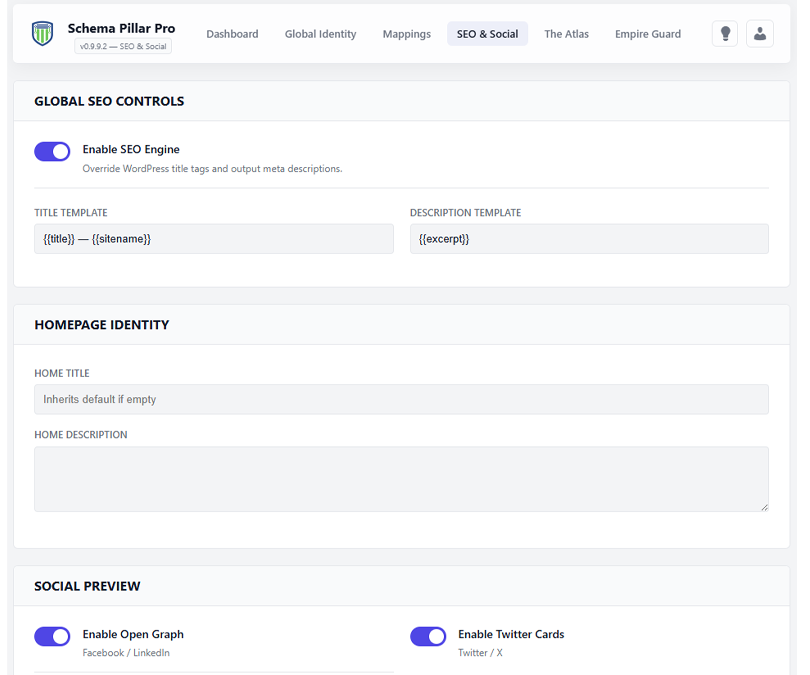
Once you toggle "Enable SPP SEO Engine", the plugin takes over the header of your website. You can set strict overrides for your Homepage, and establish dynamic templates for the rest of your site.
| Dynamic Variable | Output Example |
|---|---|
| {{title}} | The title of the current post or page. |
| {{sitename}} | Your WordPress Site Name (e.g., Schema Pillar Pro). |
| {{tagline}} | Your WordPress Tagline. |
| {{excerpt}} | The post excerpt (or first 25 words of content). |
These global templates act as your automated baseline. However, you can always open the SPP Drawer on any specific post or page to write a custom SEO Title and Description just for that specific URL.
Ensure your links look perfect when shared on Facebook, LinkedIn, X (Twitter), and Discord. SPP will automatically pull your post's Featured Image, but you should configure the fallbacks here.
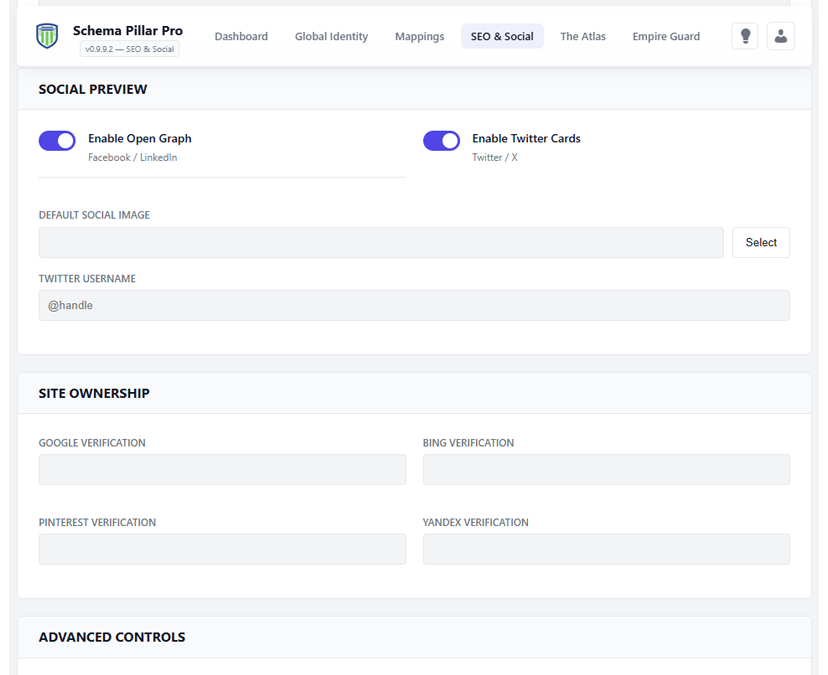
Enable these toggles to inject og:image, og:title, and twitter:card schema into your headers.
Upload a high-quality 1200x630 image here. If a post doesn't have a featured image, SPP will use this to prevent broken social cards.
When enabled, SPP actively monitors your content length. If a page or post drops below 300 words, the engine will automatically tag it as noindex, follow. This prevents "thin content" penalties from tanking your overall site authority.
Instantly claim your domain property. Drop your verification strings here to output the required meta tags for Google Search Console, Bing Webmaster Tools, Pinterest, and Yandex.
